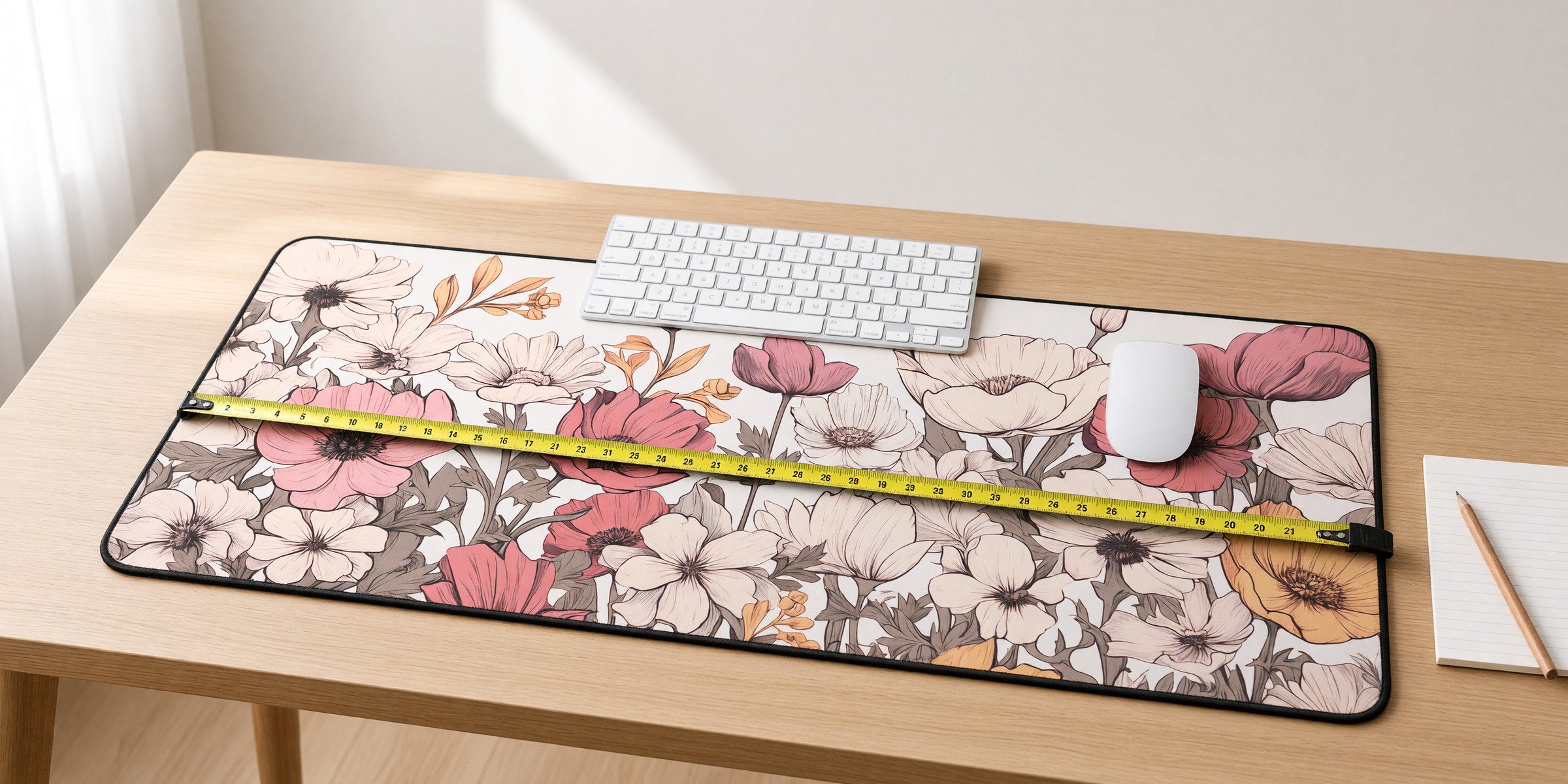
Start by measuring your space
Before you look at designs, measure your desk. Specifically, measure the area where you actually work: the part where your keyboard and mouse live, not the whole desktop.
Most people overestimate how much space they need. A 32-inch-wide mat sounds great until you realize your desk is only 36 inches wide and the mat leaves two inches of desk showing on each side.
Quick size check
- Small desk or laptop setup: 12″ × 18″ covers a laptop and a mouse, maybe a notebook.
- Standard desktop with keyboard and mouse: 12″ × 22″ fits most setups without taking over.
- Want to cover most of the desk: 16″ × 32″ gives you room to spread out. Good for gaming, two keyboards, or keeping the whole workspace on one surface.
Not sure? Go with 12″ × 22″. It handles most setups and is the size most of our customers choose. The size guide has the three sizes drawn to scale.
Think about what you actually do at your desk
Different work needs different mat sizes. If you game with a low-sensitivity mouse, you need horizontal room for big sweeping movements. If you write code or do design work, you may want room for a notebook or drawing tablet next to the keyboard.
Gaming setups
Go bigger than you think you need. Fast-paced games mean your mouse covers more distance. The 16″ × 32″ size is popular because it leaves roughly 12 inches of mouse space even with a full-size keyboard, and you can rest your forearms on the mat instead of half on and half off.
Office work and productivity
The 12″ × 22″ middle size handles most scenarios: keyboard, mouse and phone without overwhelming the desk. If you take a lot of handwritten notes, consider going larger so your notebook fits on the mat too.
Compact or minimalist setups
The 12″ × 18″ size works if you are tight on space or prefer a cleaner look. It suits a 60% or tenkeyless keyboard plus a standard mouse. Some people prefer this because it defines the workspace without covering everything.
Material (spoiler: neoprene wins)
Desk mats come in cloth, leather, cork, hard plastic, and more. Ours use neoprene because it takes printed artwork beautifully and holds up to daily use.
Neoprene gives a slight cushion without being mushy. It is water-resistant, so coffee spills wipe off. The fabric top is smooth enough for accurate mouse tracking without being slippery, and it lasts years without wearing through.
The 3mm thickness is the sweet spot: thin enough not to change your wrist position, thick enough to cushion and protect.
About the stitched edges
This matters more than you would think. Hemmed edges (sewn down with stitching) stop the mat from fraying. Without them, edges eventually separate or curl. With them, the mat keeps its shape basically forever, and the stitching gives the design a clean, defined border.
Choosing a design that works
Remember that your keyboard, mouse and hands will cover part of the mat. Some artwork handles that better than others.
Designs that work well
- Strong contrast: bold colors or dark backgrounds stay visible around your gear.
- All-over patterns: florals, waves and botanicals look good no matter where the keyboard sits.
- A single clear subject: one owl, one cat, one mountain range reads better than a busy collage.
- Timeless over trendy: abstract and botanical artwork ages better than meme-of-the-month graphics.
Designs that usually disappoint
- Tiny details: small text and intricate linework get lost under a keyboard.
- Very low contrast: subtle can look sophisticated in a listing photo and invisible on a real desk.
- Crowded collages: multiple competing elements just add clutter.
The work-from-home angle
If you work from home at least some of the time, your desk is both office and personal space. A mat you chose makes it feel like yours instead of a generic setup.
Also, video calls. Your desk is in the background of every meeting, and a good-looking mat makes a home office look intentional even if it is a corner of the dining room.
Cleaning and upkeep
Neoprene mats are low-maintenance. Spills wipe off with a damp cloth. For tougher spots, warm water and a little dish soap do the job. The non-slip base grips through texture rather than adhesive, so it never gets sticky, and the print is bonded into the fabric so it will not fade from normal use. The care guide covers the details.
Making the decision
- Measure your workspace. Seriously, do this first.
- Pick the size that fits with a few inches to spare on each side.
- Choose a design you will still like in six months.
- Order it on Etsy and use it for a week.
If you wish you had gone bigger or smaller, you will know for next time. Desk mats are not expensive enough to agonize over.
Ready to pick one?
Browse every design here, then choose your size on Etsy. Have a custom design in mind? Message us on Etsy first so we can check the image will print well.
Browse the designs